A database app without a backend: building Layero Inbox
Data API is in beta and isn't open to everyone yet. How to get access and what to expect from these pages is covered in What Data API Is.
A step-by-step walkthrough of an app on Layero: Postgres, Data API, auth, storage and notifications. About 30 minutes.
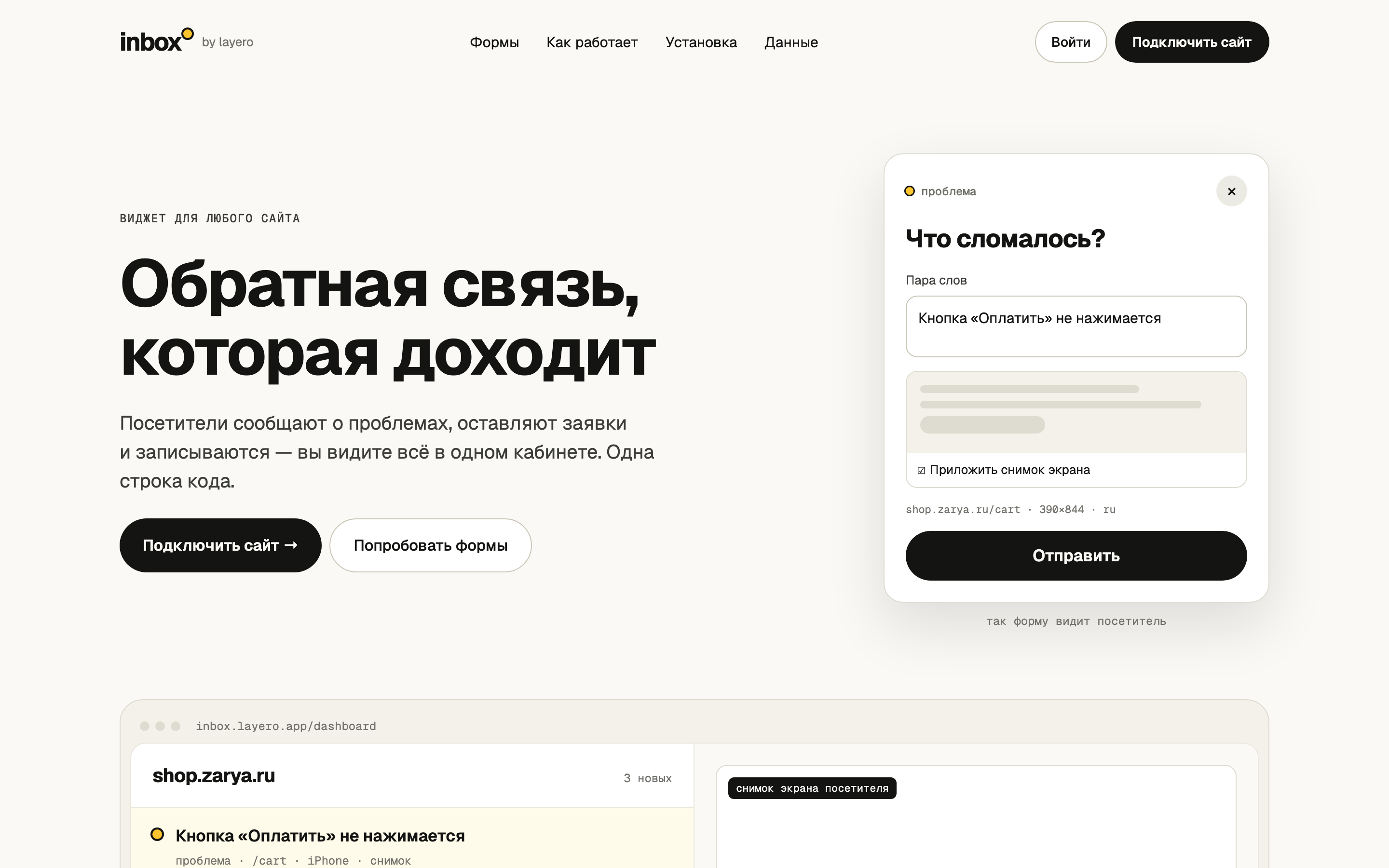
Layero Inbox is a website widget plus a dashboard. A site visitor reports a problem with a screenshot, leaves a request or books a free slot. The site owner sees it all in an inbox, works through it with the team and gets Telegram notifications.
The app has no server of its own: just Postgres, the Data API on top of it, and three static pages. Here's how it fits together and how to do the same for your product.
Code: github.com/LayeroInfra/layero-inbox · Demo: inbox.layero.app
The Layero dashboard and the app UI are in Russian. Each screenshot below is followed by an explanation of what's highlighted.
What you get
- A database with row-level permissions. A site owner sees only their sites, a user on a site team only the sites they were invited to, a site visitor nothing.
- Forms from visitors who never sign in — through database functions that validate everything coming from the browser.
- Private files. Screenshots live in a private bucket and open via signed URLs.
- Dashboard sign-in with email and password, or Yandex ID.
- HTTP requests from SQL — the database sends Telegram notifications itself.
- Access checks in one command — as a visitor and as each user.
What you need
- a Layero account and an org with a shared database (Pro plan) or a dedicated one;
- Node 20+;
- for notifications — a bot from @BotFather (optional);
- for Yandex sign-in — an app in Yandex OAuth (optional).
Who's who
| Who | Database role | |
|---|---|---|
| Site visitor | A person on a site where the widget is installed. Never signs in | anon |
| User | Signed in to the dashboard with email or Yandex | authenticated |
| Site owner | The user who added the site to the dashboard | authenticated + sites.owner_id |
| Site team | Users the owner invited | authenticated + site_members |
How it works
widget's site ──iframe──▶ widget ──RPC──▶  Data API  ──▶ Postgres
                                            ▲    │        RLS, functions, files
owner, team ──▶ dashboard ──REST/auth───────┘    └── net.http_post ──▶ Telegram
The browser calls the Data API directly, with the public key. The key grants nothing by itself: RLS policies and Postgres functions decide what a visitor and each user can do. The app doesn't need the secret key at all.
Every step below can be done in the Layero dashboard or in the terminal — the
result is the same. scripts/setup.sh does it all at once (step 8).
Step 1. Create a database and enable the Data API
- Layero dashboard
- CLI
Databases → Create database. One shared database is included in the Pro plan. Open the database and enable three services.
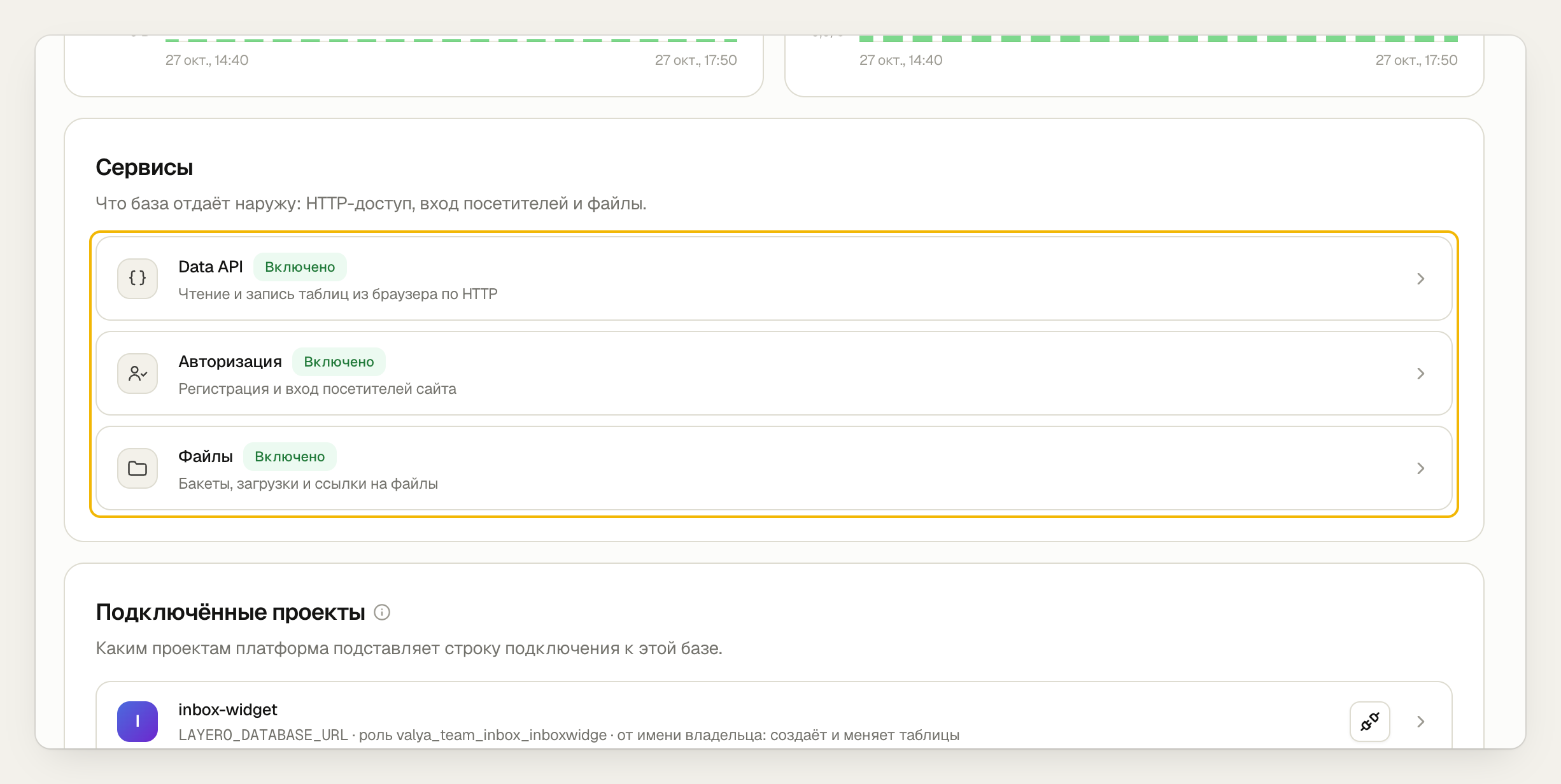
- Data API — tables and functions over HTTP; compatible with supabase-js.
- Auth — sign-up and sign-in. Adds the
authschema andauth.uid(), which every policy relies on. - Files — storage with buckets.
npx layero@latest db create inbox --org my-team
npx layero@latest data enable --db inbox --org my-team --auth --storage
Create the screenshot bucket right away.
- Layero dashboard
- CLI
Files → Add bucket.
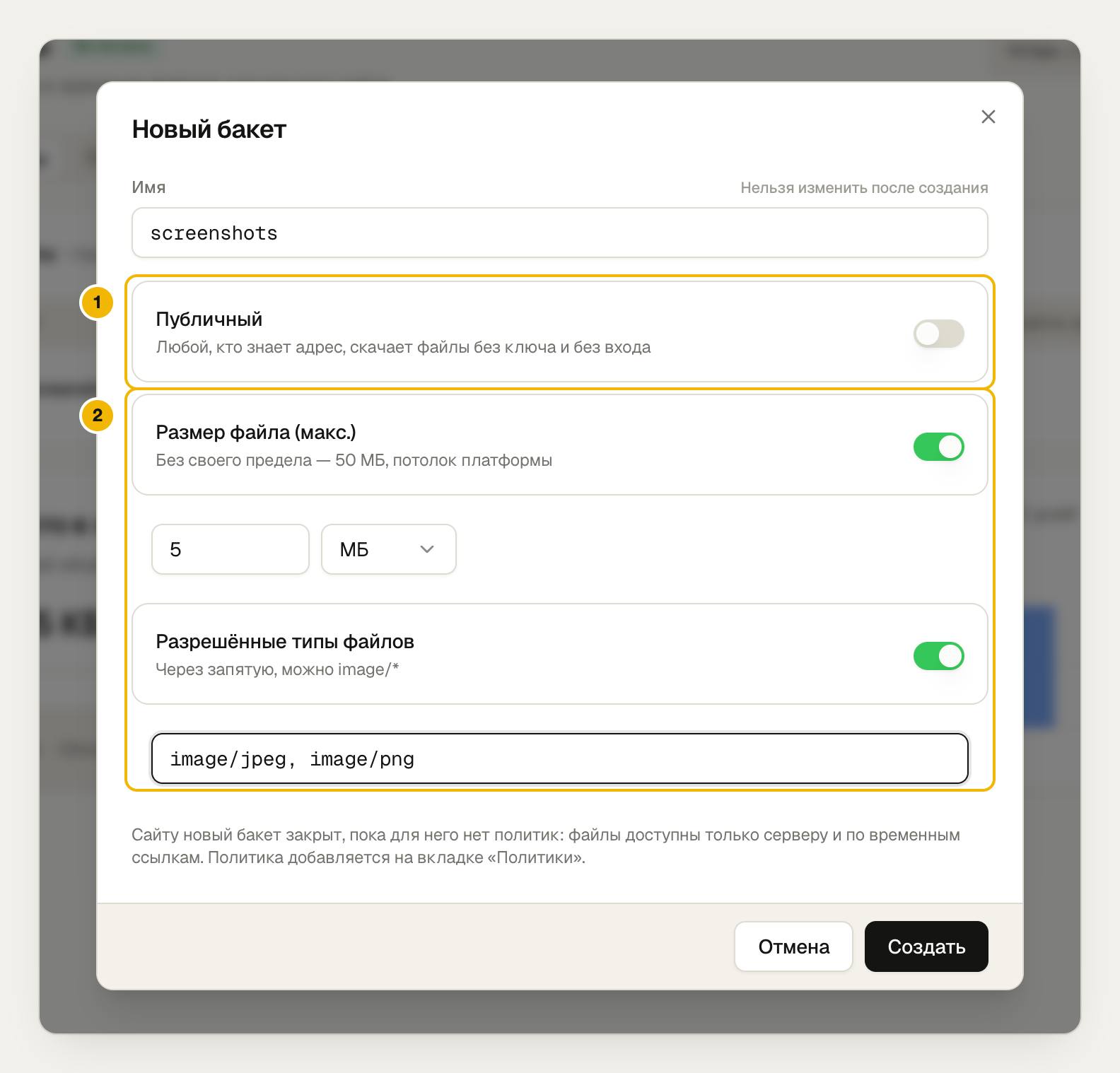
- "Public" is off: screenshots open only via signed URLs.
- Up to 5 MB, JPEG or PNG only — the bucket rejects anything else.
npx layero@latest data buckets create screenshots --private --max 5MB \
  --types image/jpeg,image/png --db inbox --org my-team
Enable auth before the migrations. Policies reference auth.uid(), and
without auth the migration fails on the first one.
Step 2. Define tables and lock them with policies
Four tables: sites, site team, invites and messages. The main rule — site visitors can't touch the tables at all:
alter table public.reports enable row level security;
revoke all on public.sites, public.site_members, public.invites, public.reports from anon;
The site team reads the site's messages and can change only the status — a column-level privilege:
revoke insert, update on public.reports from authenticated;
grant update (status) on public.reports to authenticated;

create policy reports_read on public.reports for select to authenticated
    using (inbox_private.is_member(site_id));
The "is this user on the site team" check is a security definer function. If
the sites policy queried site_members and the site_members policy queried
sites, Postgres would recurse forever:
create function inbox_private.is_member(p_site uuid) returns boolean
language sql stable security definer set search_path = public as $$
    select exists (select 1 from public.site_members m
                    where m.site_id = p_site and m.user_id = auth.uid());
$$;
- Layero dashboard
- CLI
SQL editor: paste a migration file and run it. Files go in
order, 0001 to 0004.
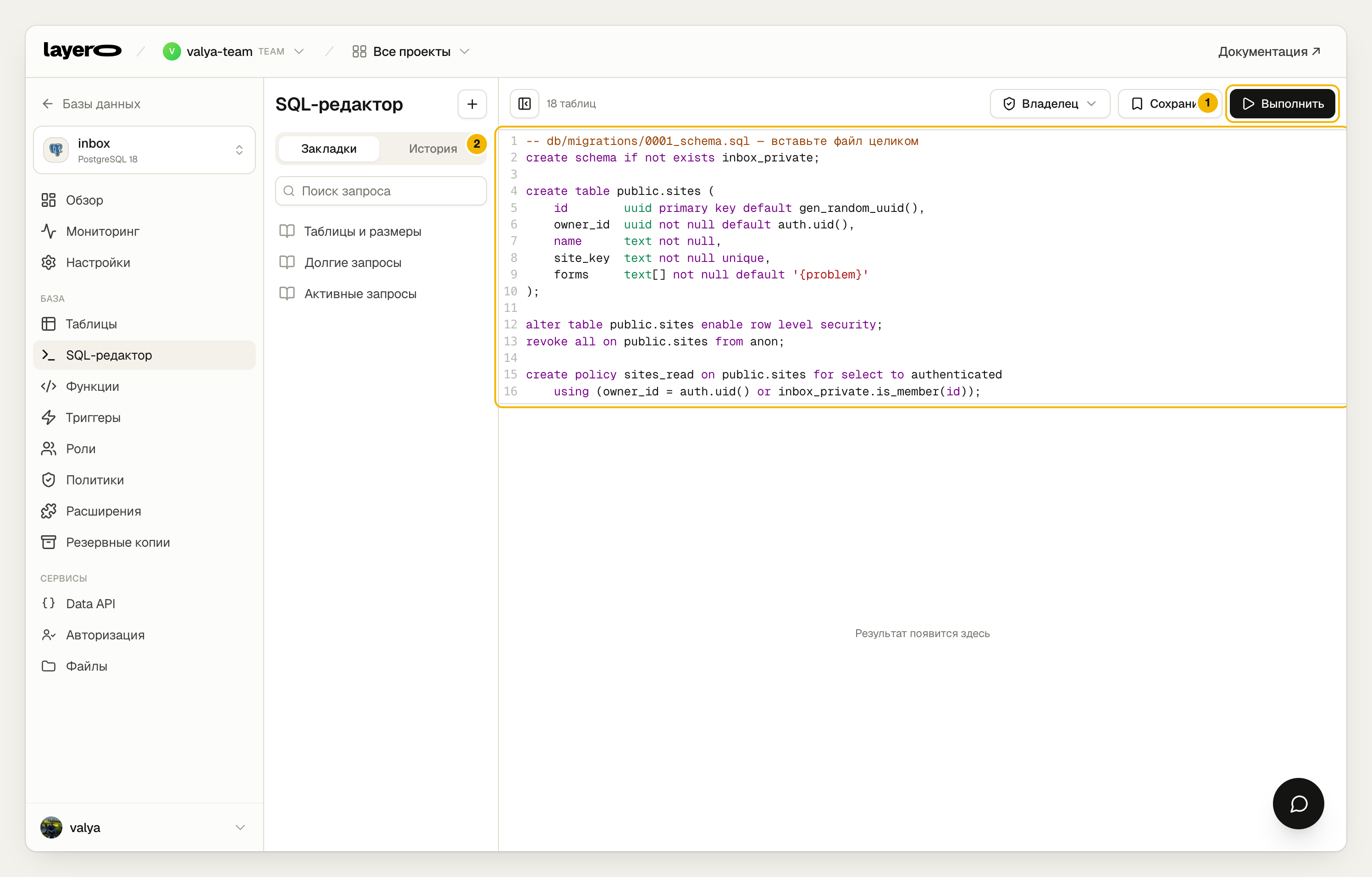
- Run, or ⌘/Ctrl + Enter. The role is "Owner": it creates tables, functions and policies.
- The migration text.
for f in db/migrations/*.sql; do
  npx layero@latest db sql inbox --org my-team --file "$f"
done
The Policies screen shows the result:
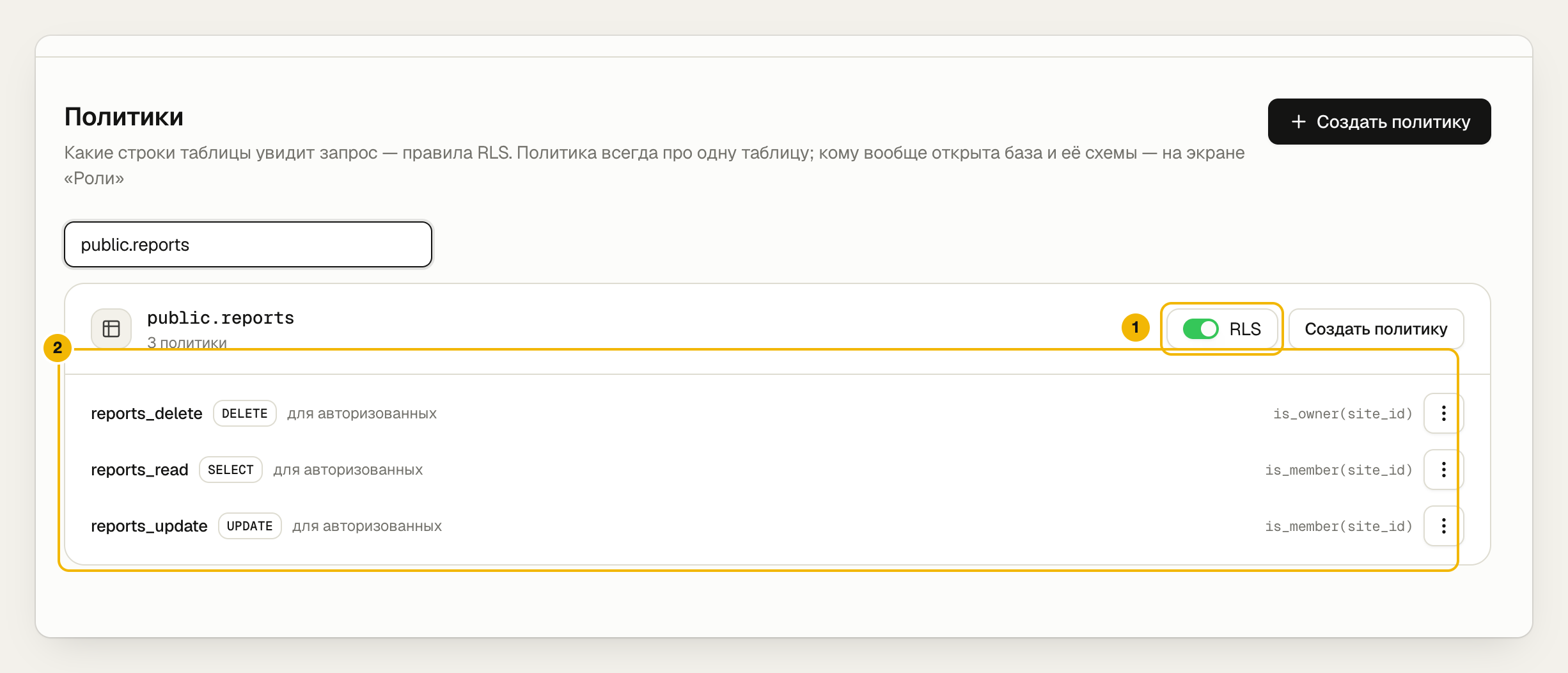
- RLS is on: a row no policy allows is visible to no one.
- Three policies: the site team reads and changes the status, only the owner deletes.
Full schema — 0001_schema.sql.
Step 3. Accept a visitor's form through a function
A site visitor doesn't sign in but must submit a form. Letting them write to
the table would let them write anything anywhere. So intake is a function in
the api schema, which the Data API exposes as POST /rest/v1/rpc/submit_form:
create function api.submit_form(site_key text, form text, message text default null, …)
returns jsonb language plpgsql security definer set search_path = public as $$
begin
    -- the site key exists, the form is on, ≤ 30 messages a minute,
    -- a lead has a contact and consent, the booking slot is free…
    insert into public.reports (…) values (…);
    return jsonb_build_object('id', v_id, 'upload_path', v_path);
end $$;

grant execute on function api.submit_form(…) to anon, authenticated;
- Layero dashboard
- CLI
Data API → Methods: what the database exposes over HTTP, and to whom.
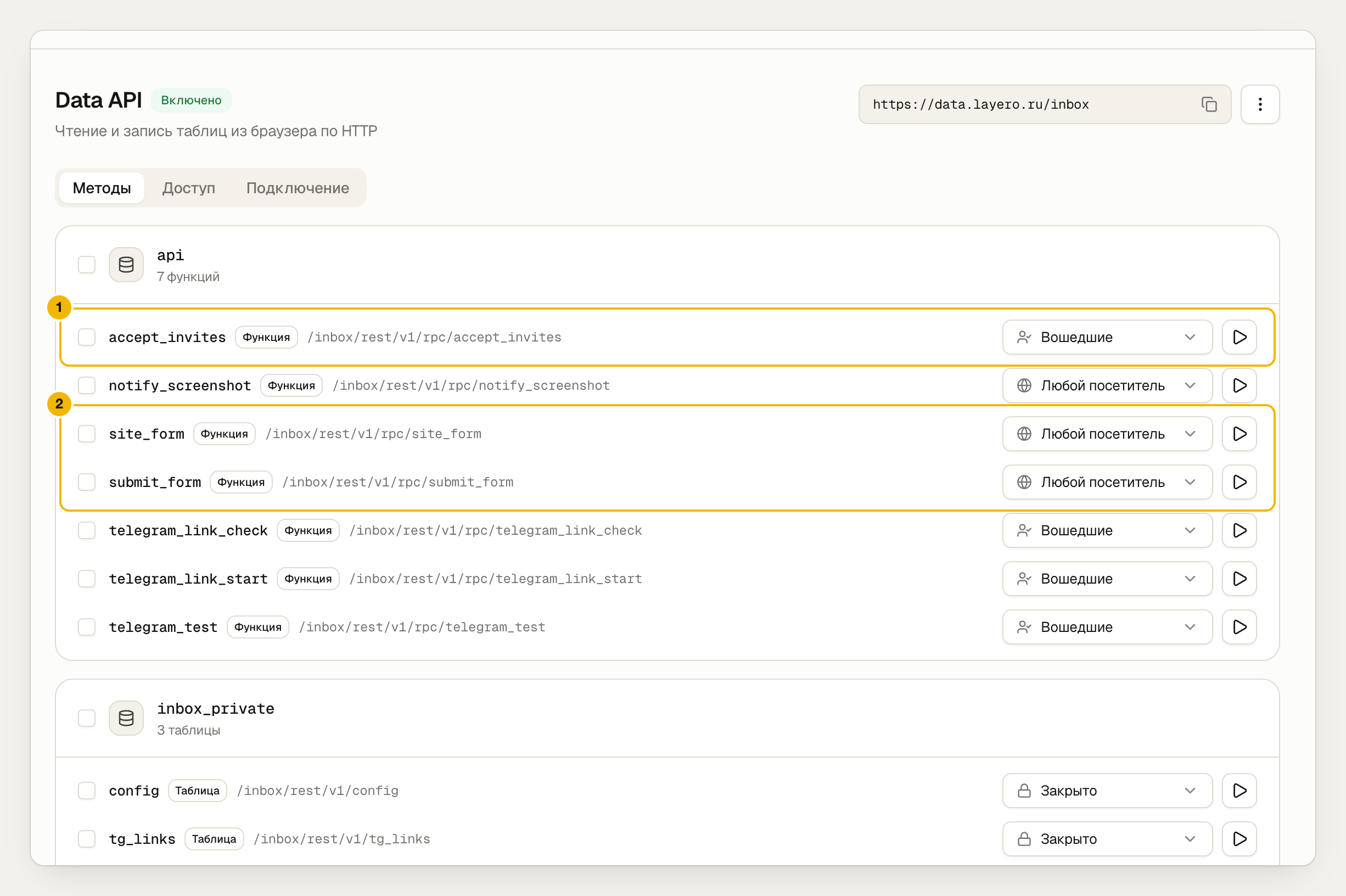
- Dashboard functions — signed-in users only. The function itself checks permissions inside.
site_formandsubmit_formare open to any visitor — that's how the widget works.
npx layero@latest data methods --db inbox --org my-team
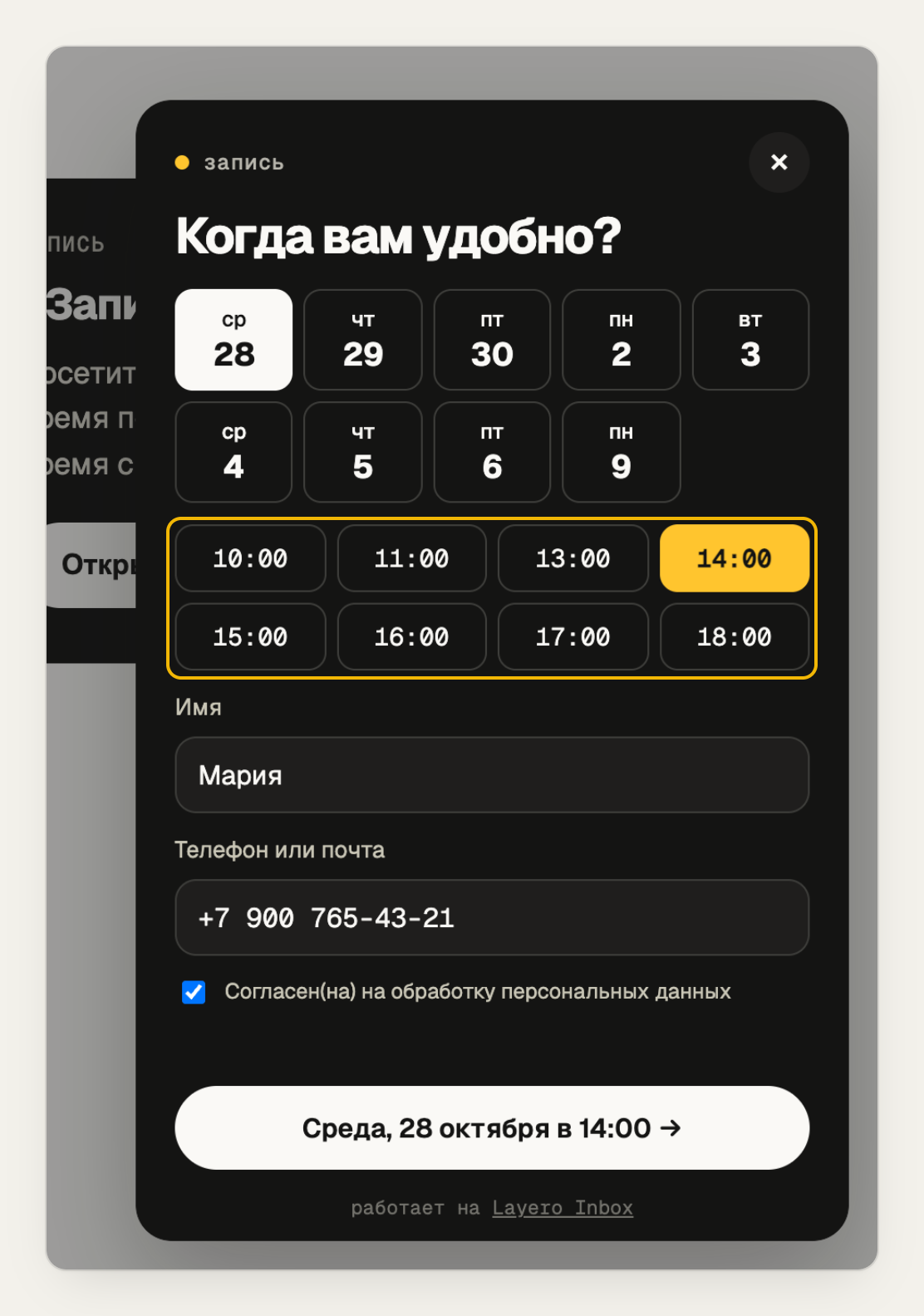
The database resolves a booking race itself: if two visitors book the same time at once, a unique index stops the second.
create unique index reports_booking_slot on public.reports (site_id, booking_at)
    where kind = 'booking' and status <> 'rejected';
Here's what the visitor sees. The 12:00 slot on Wednesday is already taken, so it isn't listed.
All functions — 0002_forms.sql.
Step 4. Allow a file upload to exactly one place
The visitor uploads the screenshot, but only to the path submit_form gave
them, within 10 minutes and only once:
create policy screenshots_visitor_upload on storage.objects
    for insert to anon, authenticated
    with check (bucket_id = 'screenshots'
                and inbox_private.screenshot_upload_allowed(name));
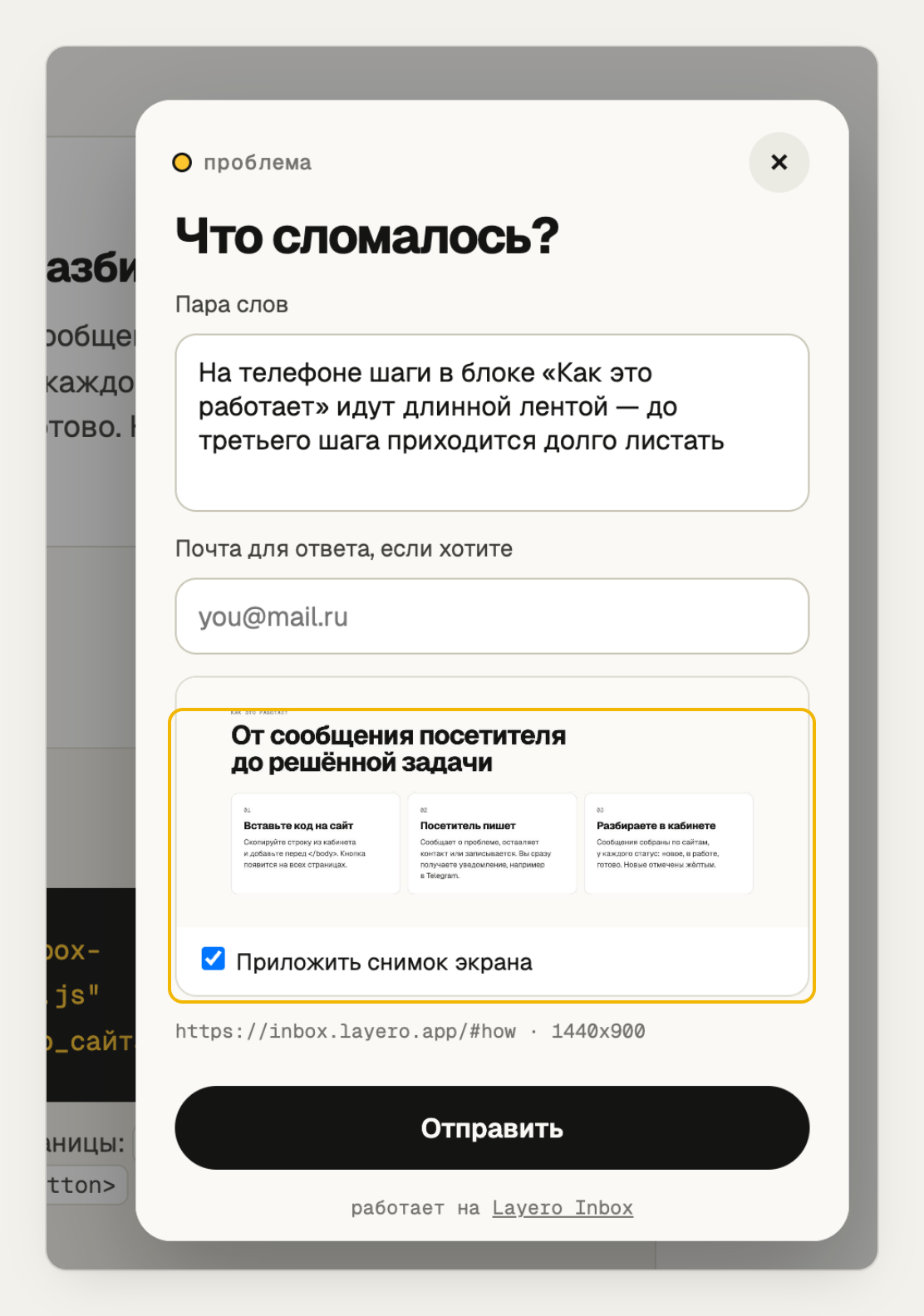
The widget takes the screenshot before opening the form, so it isn't in the shot.
In the dashboard: Files → Policies.
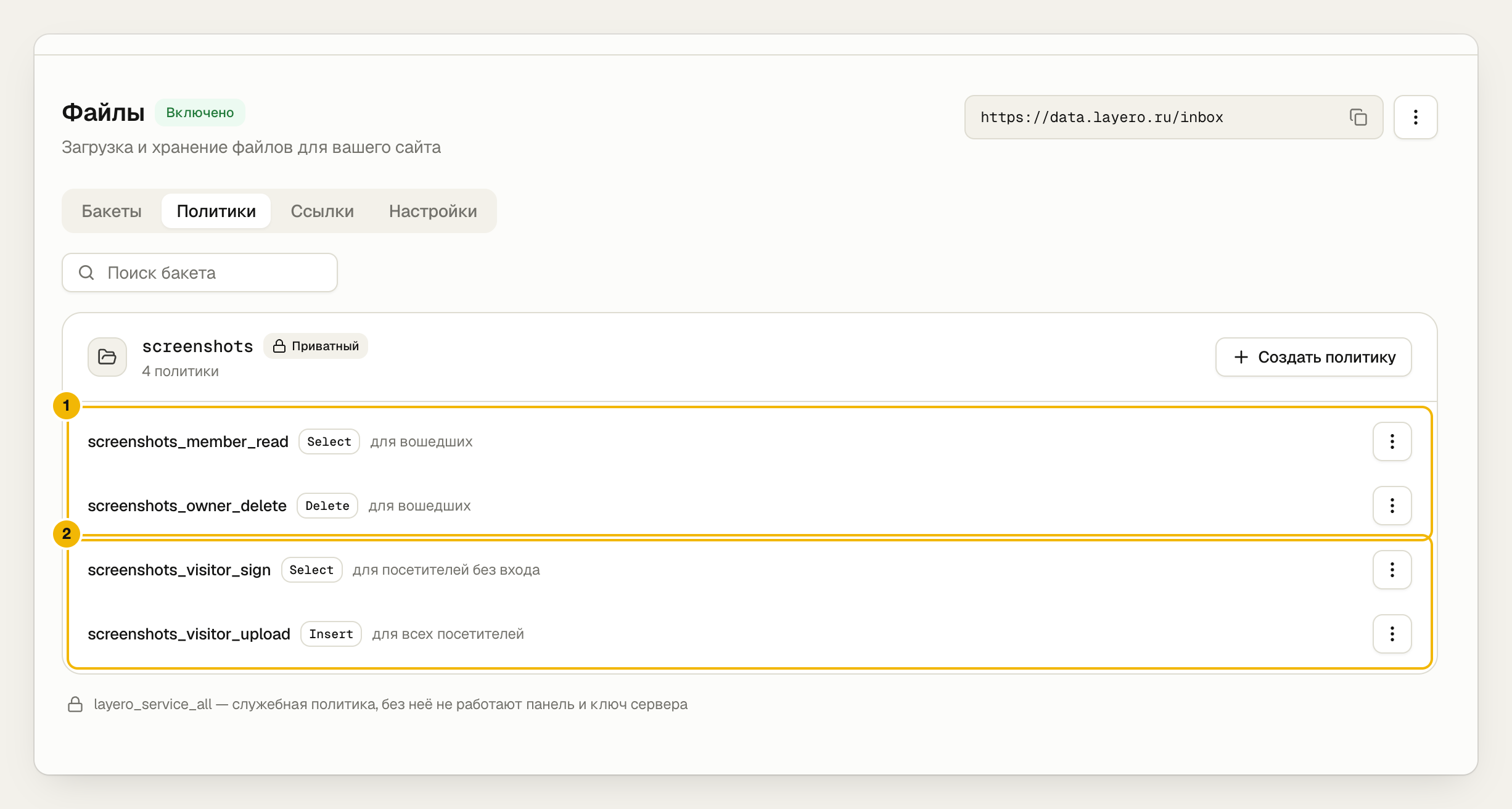
- The site team opens screenshots; the owner can delete them.
- The visitor uploads their screenshot and signs a one-minute URL so Telegram can fetch the photo.
In the dashboard, screenshots open via signed URLs:
const { data } = await db.storage.from("screenshots").createSignedUrl(path, 600);
Policies — 0003_storage.sql.
Step 5. Send a notification straight from the database
The bot token is a database secret.
- Layero dashboard
- CLI
Data API → Access → Secrets → Add secret.
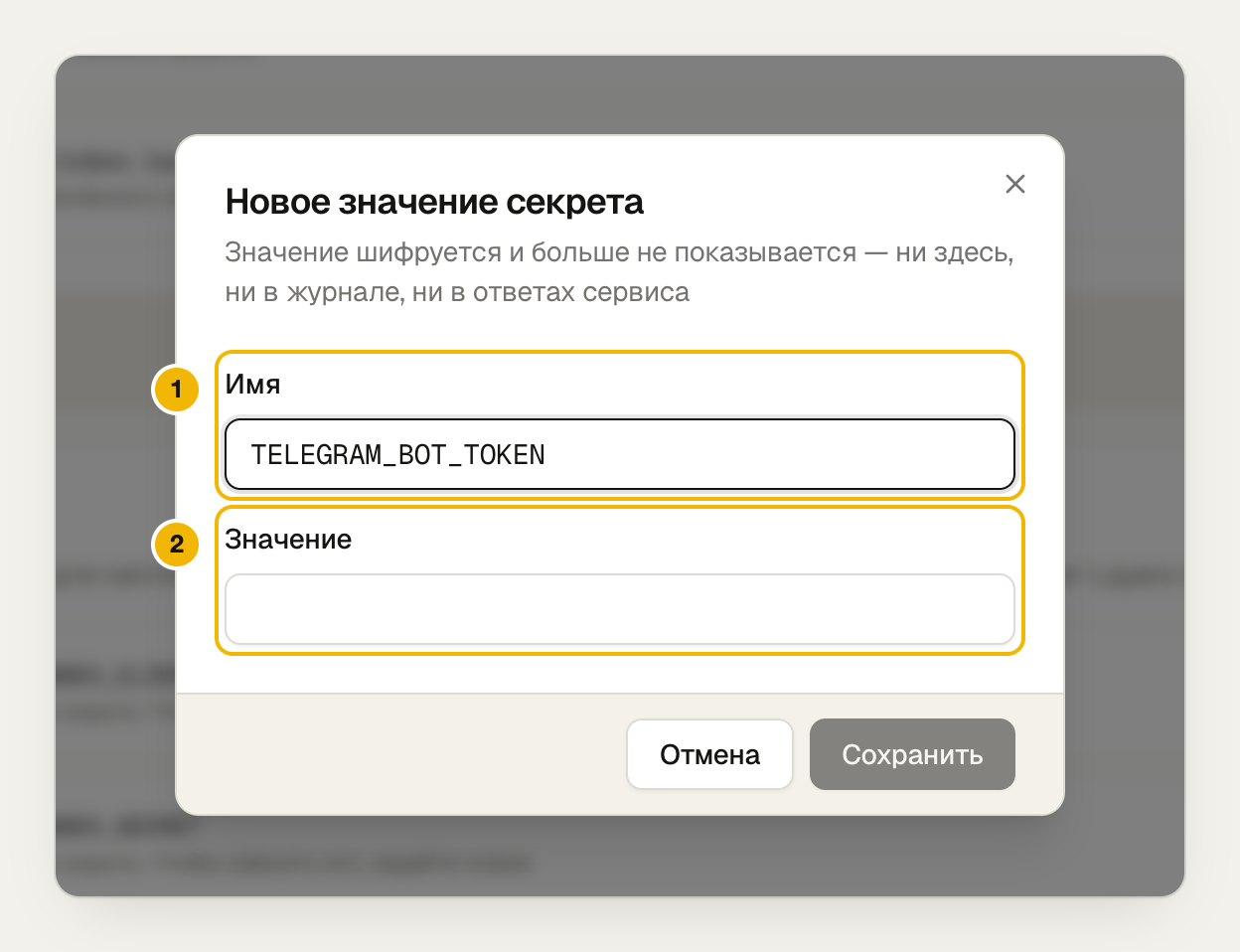
- The secret name. In SQL it's written as
{{secrets.TELEGRAM_BOT_TOKEN}}. - The token from @BotFather. Once saved, neither the dashboard nor the logs show it.
npx layero@latest data secrets set TELEGRAM_BOT_TOKEN --from-env TELEGRAM_BOT_TOKEN --db inbox
The value is substituted only into the request as it goes out:
create function inbox_private.tg_send_text(p_chat text, p_text text) returns void
language sql as $$
    select net.http_post(
        url  := 'https://api.telegram.org/bot{{secrets.TELEGRAM_BOT_TOKEN}}/sendMessage',
        body := jsonb_build_object('chat_id', p_chat, 'text', p_text));
$$;
net.http_post queues the request and sends it after commit: if the insert
rolls back, no notification goes out. A trigger on reports calls this
function for every new message. A screenshot goes out as a photo: Telegram
downloads it via the signed URL.
Connecting without a chat id. The Data API has no inbound webhooks, so the
dashboard opens t.me/<bot>?start=<code> and, while the site owner is on the
page, asks the database every two seconds whether that code has shown up in
getUpdates.
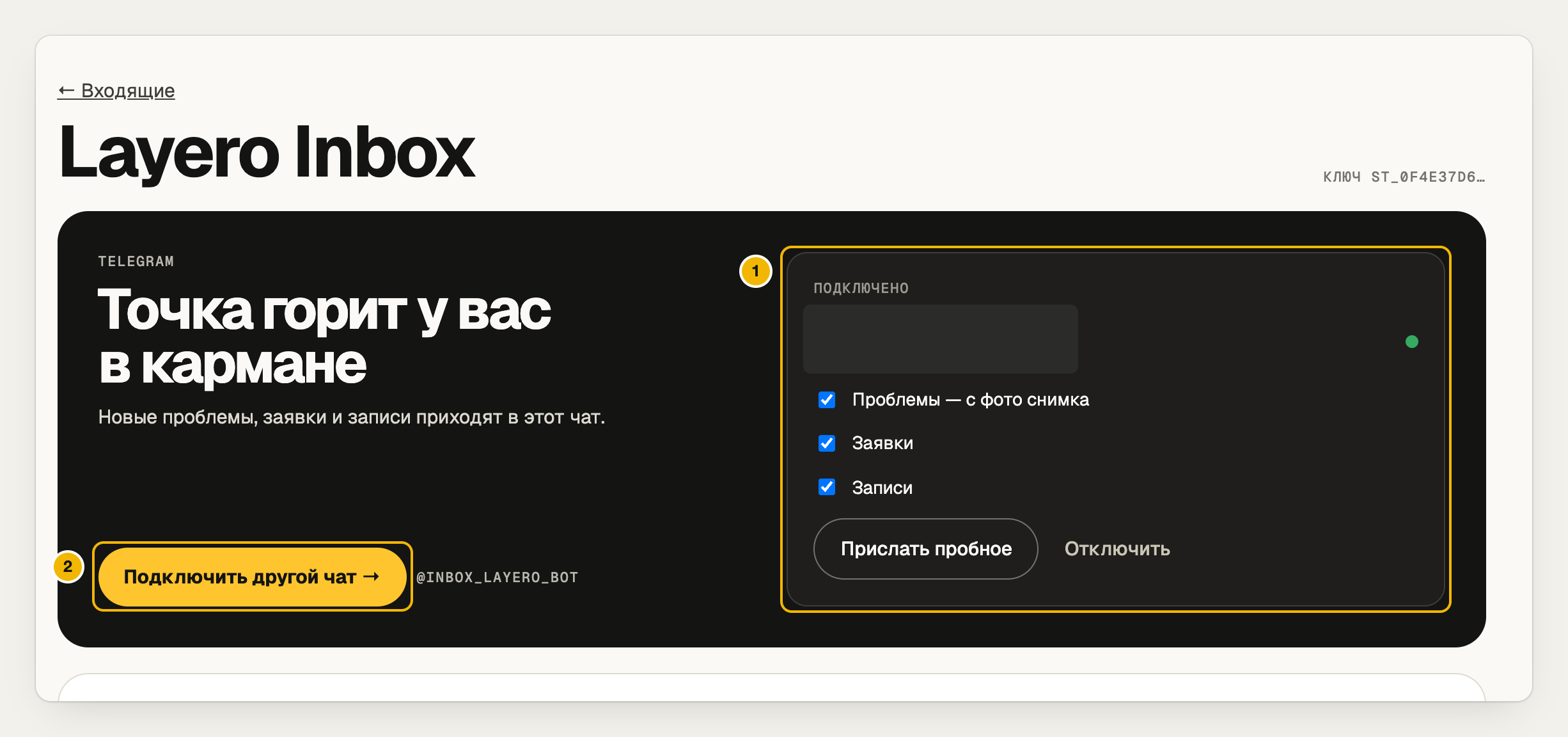
- The connected chat and which messages go to it.
- One button: the bot opens, press Start — the chat is connected.
Details in notifications.md.
Step 6. Build the dashboard with supabase-js
The Data API is supabase-js compatible, so the dashboard is a regular client.
- Layero dashboard
- CLI
Data API → Connect.
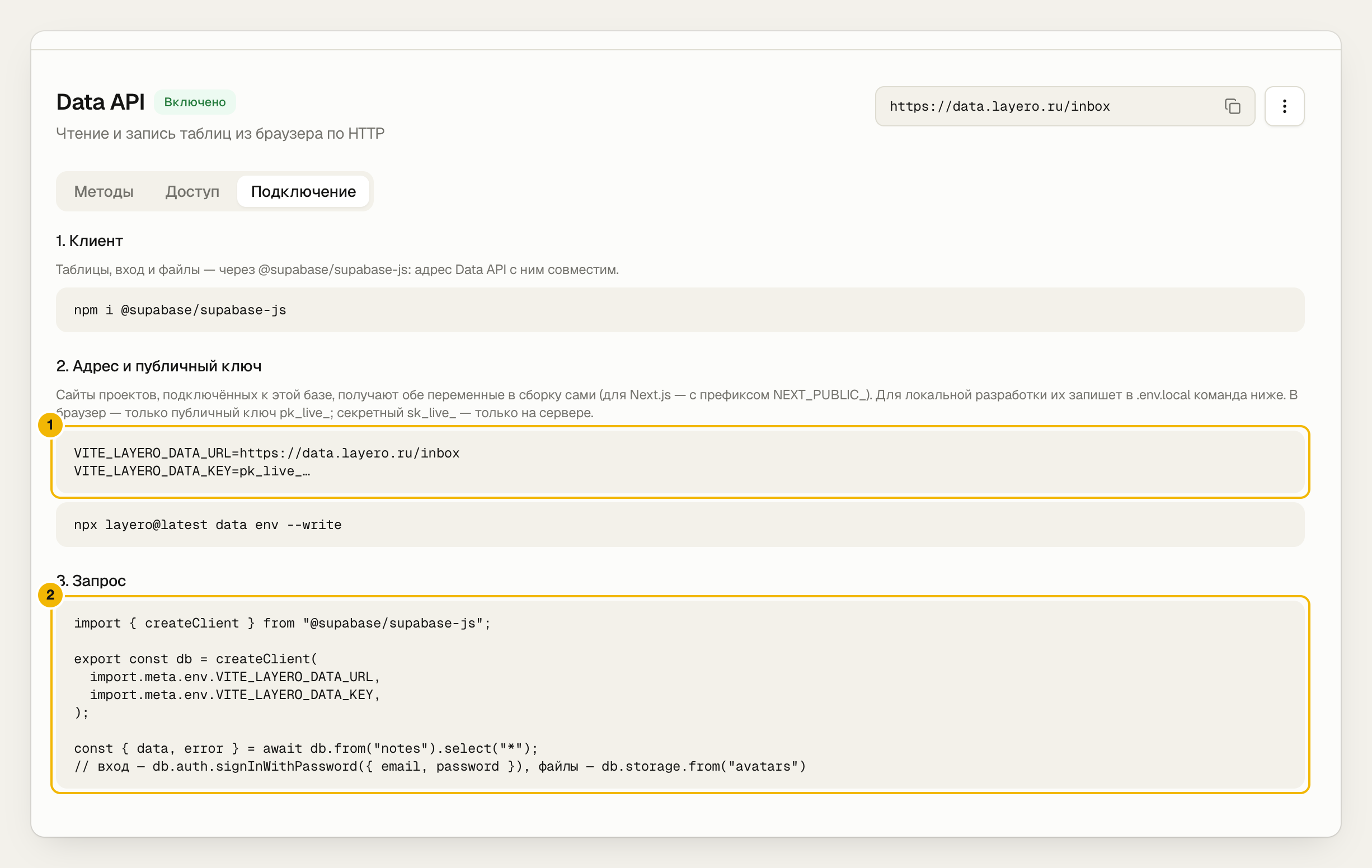
- The URL and public key. Layero injects them into the build of any project linked to the database.
- The client is plain supabase-js.
For local development:
npx layero@latest data env --write # writes .env.local
import { createClient } from "@supabase/supabase-js";

const db = createClient(import.meta.env.VITE_LAYERO_DATA_URL,
                        import.meta.env.VITE_LAYERO_DATA_KEY);

const { data } = await db.from("reports").select("*")
  .eq("site_id", siteId).order("created_at", { ascending: false });
The site_id filter is for convenience, not protection: the query won't
return other people's rows even without it.
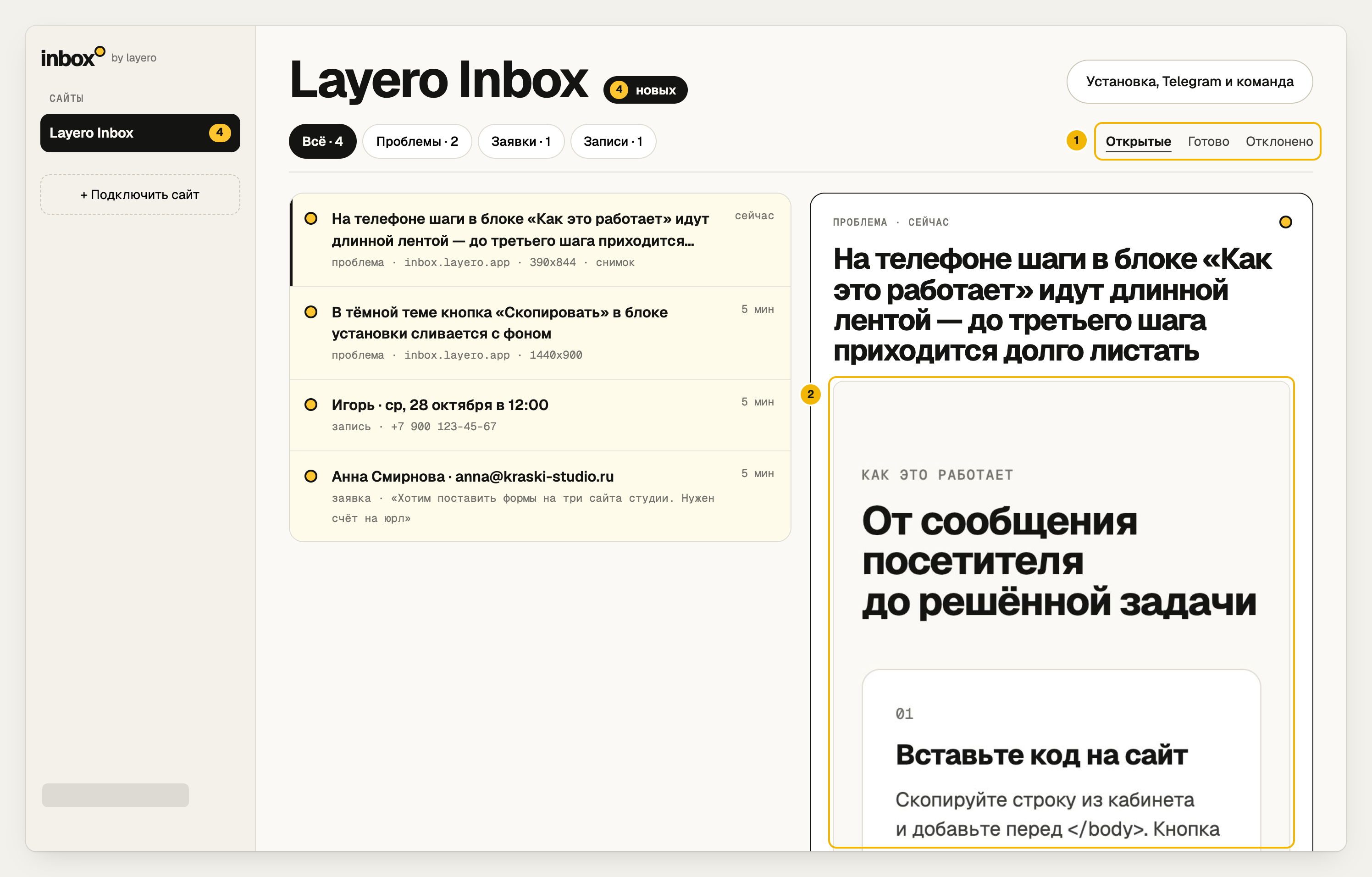
- Statuses. The site team can change only a message's status.
- A screenshot from the private bucket, via a 10-minute signed URL.
Yandex sign-in. Email and password work out of the box. Yandex ID is configured in the dashboard only: Auth → Sign-in methods → Yandex.
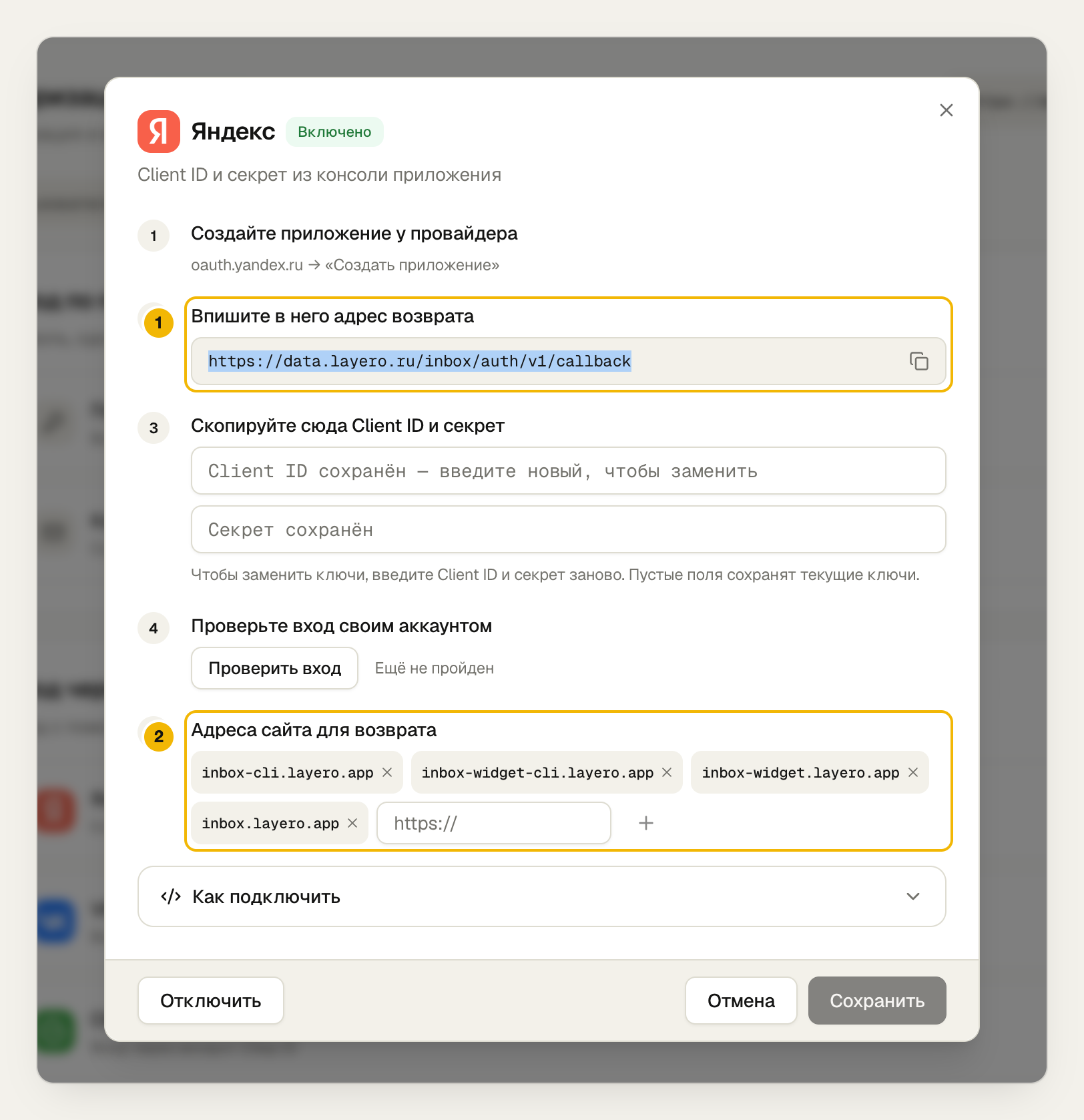
- Put this callback URL into your app on oauth.yandex.ru, and paste its Client ID and secret here.
- Addresses a user may be sent back to after signing in.
In the client it's one line:
await db.auth.signInWithOAuth({ provider: "yandex", options: { redirectTo: APP_URL } });
The sender name of sign-in emails:
npx layero@latest data auth sender "Layero Inbox" --db inbox
Step 7. Embed the widget through an iframe
By default the Data API accepts requests only from your project addresses.
That's right for the dashboard. But the widget runs on other people's sites,
so embed.js never calls the database: it draws the button, takes a
screenshot and opens the form in an iframe from the widget's address. Requests go
from there.
- Layero dashboard
- CLI
Data API → Access → Allowed sites.
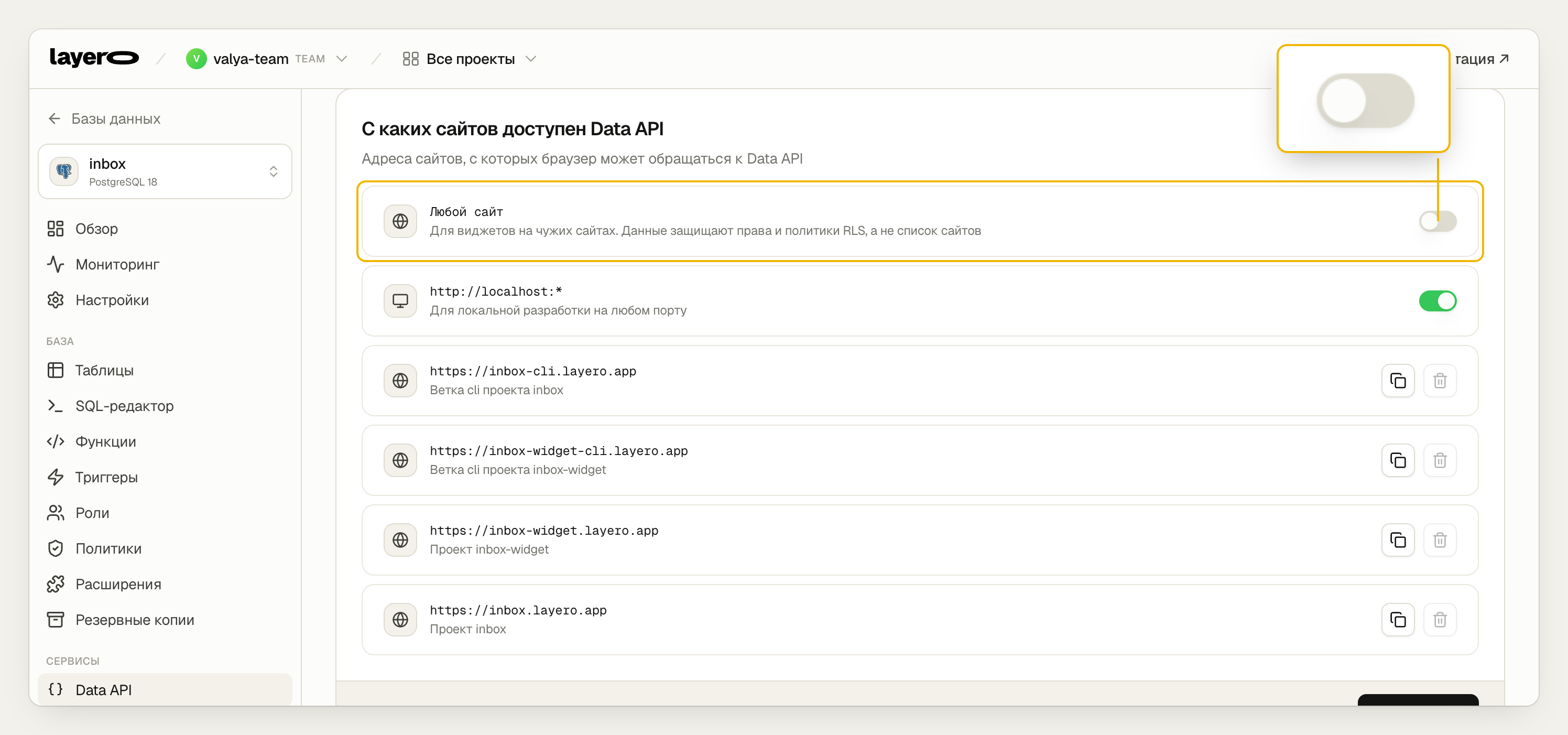
"Any site" is off: third-party sites don't call the database; the widget opens an iframe for them. Layero adds the widget and dashboard addresses, and their branch environments, automatically.
npx layero@latest data origins list --db inbox
The dashboard shows the site key st_… once the owner adds a site. The site
gets one line, plus optional buttons:
<script src="https://inbox-widget.layero.app/embed.js" data-site="st_…" async></script>
<button data-inbox="booking">Book a slot</button>
That keeps the public key and the form logic out of the third-party page.
Step 8. Deploy and verify access
One script does steps 1–7 and deploys both projects:
LAYERO_ORG=my-team APP_ADDRESS=my-inbox ./scripts/setup.sh
On our run the database, schema and secrets took under a minute, the widget build two, the landing and dashboard five. About 8 minutes in total.
The site key for the forms on the landing page itself is a project variable.
- Layero dashboard
- CLI
Project → Environment variables.
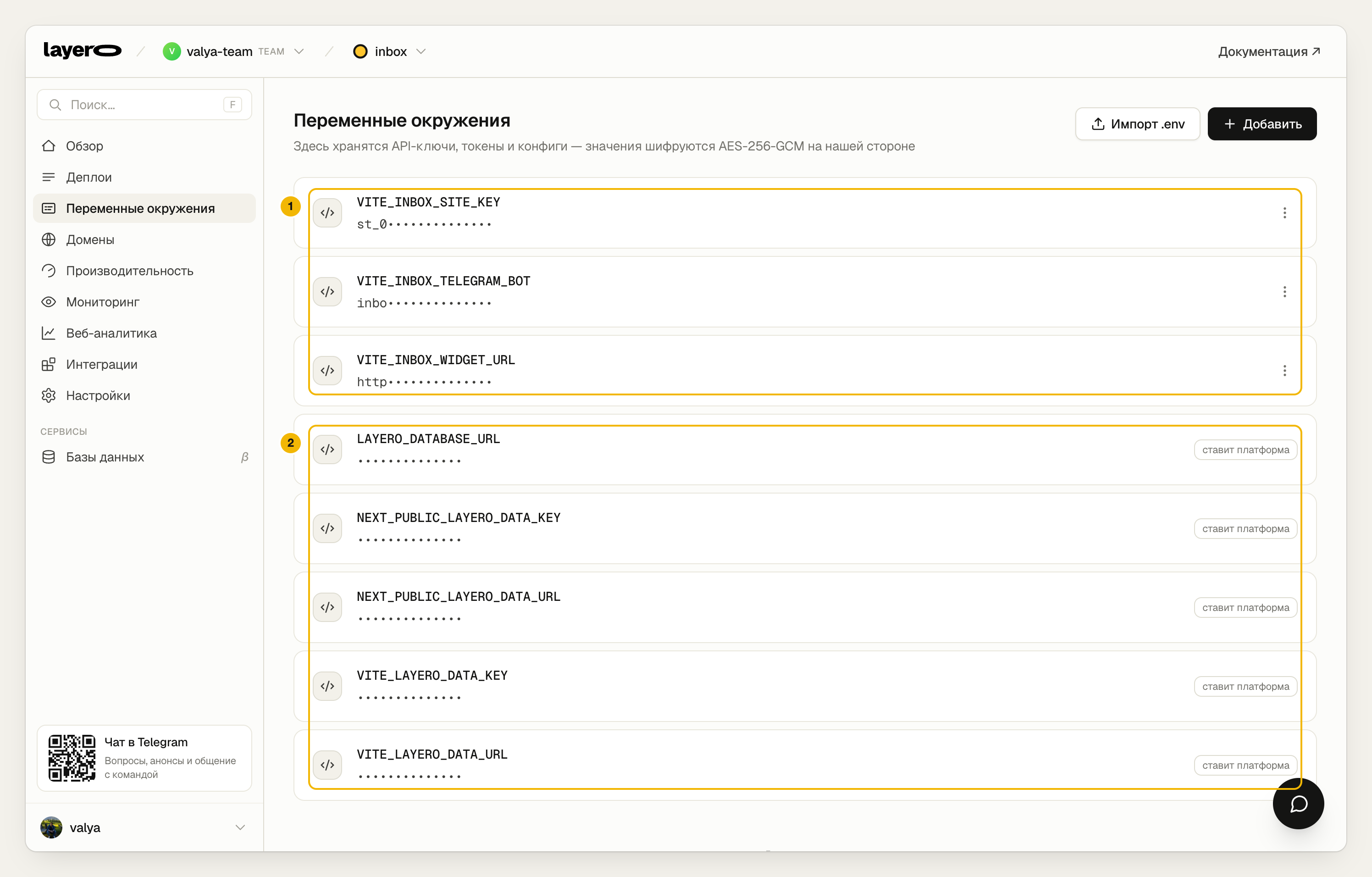
- Your own variables: widget URL, bot name, site key. Rebuild after changing them.
- Variables marked "set by the platform" appear on their own once the project is linked to the database: database URL, Data API URL and public key.
npx layero@latest env set VITE_INBOX_SITE_KEY=st_… && npx layero@latest deploy --yes
Finally, verify access. layero data probe runs a request through the real
gateway as a visitor or a specific user and rolls back any write:
OWNER_EMAIL=… OTHER_EMAIL=… MEMBER_EMAIL=… ./scripts/check-access.sh
On our run all 18 checks passed (the script's output is in Russian): a site
visitor, the site owner, a user from another team and a user on the site
team. 200:0 means the request succeeded but RLS hid every row — for that user
those rows don't exist. 401 means visitors can't touch the tables at all.
403 means the role has no privilege for the action.
Pitfalls
| What happened | Why | Fix |
|---|---|---|
Migration fails on auth.uid() | Auth isn't enabled | Enable it before migrations |
| A function argument matches a column and the filter is always true | where site_key = site_key compares the column with itself | #variable_conflict use_column and the qualified name submit_form.site_key |
| Policies on two tables loop | Each table's RLS reads the other | Membership checks as security definer functions |
| A third-party site can't call the Data API | CORS allows only project addresses | An iframe from your own address |
| Connecting Telegram needs an inbound webhook | The Data API doesn't accept inbound requests | Poll getUpdates while the site owner is on the page |
Before production
- Run the access check after every migration.
- Check what each role sees: Data API → Methods, or
npx layero@latest data methods --db inbox. - Set the email sender name:
npx layero@latest data auth sender "Your product". - With many site owners, move the project to a dedicated database.
What's next
- Use the repository as a base: swap the forms for yours; the schema and scripts stay.
- Read about the Data API in the Layero docs.
- Dig into the Layero Inbox architecture.